If you’ve ever driven through a small town, a construction zone on a backroad, or a crossroads that’s not busy enough for a standard power-hungry traffic light, you’ve probably seen one of our Solar Traffic devices—those bright, self-sustaining lights that pop up where traditional grid-powered equipment just doesn’t make sense. But here’s the thing: most people don’t realize that one solar traffic light is great, but connecting multiple of them together turns a random set of single units into a smart, coordinated system that actually works way better for drivers, road crews, and local governments. As someone who’s worked in the solar traffic supply game for 8 years, I’ve helped dozens of towns and road contractors set up these connected systems, and I’m here to break down exactly how to do it—no fancy engineering degree required.
First, let’s get one thing straight: not all solar traffic devices are the same, and not all of them are designed to connect. I’ve seen contractors try to pair a Blinking Street Light meant for residential corners with a heavy-duty solar traffic light for a major crossroads, and it never works. Before you even think about wiring or syncing, you need to make sure all your devices are compatible. Here’s the quick litmus test: check each unit’s user manual for “network compatibility” or “sync mode.” All of our Solar Traffic devices from ab.com (the site you just clicked, by the way) have this built-in, but if you’re mixing and matching from other brands, you might run into headaches down the line. I once had a client who grabbed a cheap solar light from a random hardware store and tried to pair it with our main traffic units—turns out their signal frequencies didn’t match, and they ended up wasting a whole weekend redoing the setup. Save yourself the trouble: stick to units that explicitly say they can connect, and if you’re shopping around, look for things like LoRa, Wi-Fi, or Bluetooth connectivity as your base.
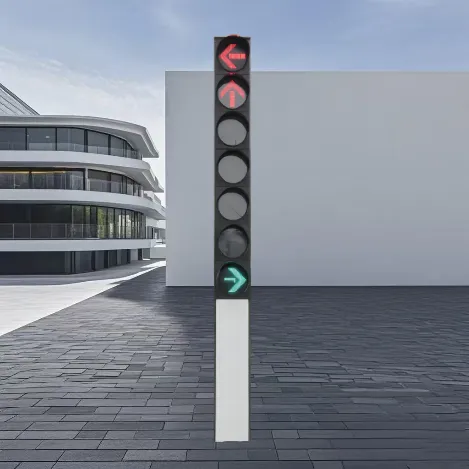
Now, let’s talk about the two main ways to connect these devices—wired (for permanent, high-traffic spots) and wireless (for temporary stuff like construction zones). I’ll break both down, because each has its time and place. Let’s start with wired, since that’s the most reliable for long-term setups. Back in 2018, we did a project for a small county in Ohio that had a four-way crossroads with no power nearby, and they needed traffic lights there 24/7. We installed four of our primary units, and ran thick, weather-resistant Cat 5e cables between each one. The key here is to use shielded cable—you don’t want rain or snow messing with the signal. We also installed a central controller at one of the four units, which acts like the brain of the system. It syncs all the lights so they change green/red in sequence, just like a standard traffic light. This is where Primary and Secondary Traffic Lights come into play—your central controller is the primary, and all others are secondaries, so the primary sends signals to the rest, no confusion. The nice thing about wired is that there’s zero dead zones, even if there’s a ton of trees or tall buildings around. The downside? You have to dig trenches for the cables, which takes more time and costs more upfront, but it’s way more stable for places that will use the system for years.
Wireless is where it gets fun, especially for temporary setups. If you’re working a construction zone on a busy highway, you don’t want to dig trenches for cables every time you move the signs. That’s where our wireless-connected systems shine. We use a low-power LoRa signal (it’s way better than Wi-Fi for long-range, no-interference connections) that can sync up to 20 solar devices within a 1-mile radius. Let’s say you’re closing a lane on a two-lane road—you can put a Light Up Road Signs at the start of the closed lane, a pair of blinking lights to warn oncoming drivers, and a solar traffic light to control any local traffic turning onto the side road. All of these can connect wirelessly, so you just set them up, turn on the sync mode, and they talk to each other automatically. I did a construction project in Arizona last year where the crew was moving the setup every 2 weeks for road repairs, and this wireless system cut their setup time from 4 hours to 45 minutes. No digging, no cable runs, just point and connect. The only caveat with wireless is that you need to make sure there’s no big obstacles (like a mountain or a tall building) blocking the signal. If there is, you can add a signal repeater—we sell them as part of our solar traffic accessory kits, so it’s an easy fix.
Wait, but what if you want to make your system even smarter, not just synced? Like, what if the traffic volume changes during the day, so the lights adjust timing automatically? That’s where adding a smart controller comes in. A lot of people think syncing is just making the lights flash at the same time, but a smart controller does way more. For example, if you have a crossroads that’s busy during morning rush hour but dead at 10 a.m., you can set the system to detect traffic (some of our devices have built-in motion sensors) and adjust the green light times without anyone having to touch it. We did this for a small downtown crossroads in Iowa—they used to have a standard traffic light that wasted a ton of solar power when no cars were around. By connecting our Solar Traffic devices with a smart controller, they cut their energy use by 30% and drivers didn’t have to sit through a 2-minute red light at 2 p.m. when there was no cross traffic. That’s the real win of connecting these systems: it’s not just about coordination, it’s about efficiency.

Let’s talk about common mistakes people make when connecting these systems, because I’ve seen them all. First, not testing the signal before securing the devices. I once had a client in Florida who set up four wired lights, buried the cable, and then found out the primary unit was too close to a metal pole, which messed with the signal. We had to dig up 50 feet of cable to fix it—total waste of time. Pro tip: test the connectivity 24 hours before you finalize the setup, even if it’s wireless. Turn on all the sync modes, check each light’s signal strength, and make sure they’re communicating at all times, not just when it’s convenient. Second, not accounting for power when connecting multiple devices. Each solar traffic device has its own battery, but if you’re connecting more than 5 units, some of the older models might not have enough battery to send signals all day. Our newer units have higher-capacity batteries, but when you’re setting up a big system, you might want to add a small solar panel as a backup for the controller. Third, mixing brands without checking compatibility. I know it’s tempting to grab a cheaper light, but if it doesn’t have the same sync protocol as your main units, you’re gonna have a bad time. Stick to one brand if you can, especially if you’re new to this. We make all of our devices easy to connect, whether it’s a single light or a whole system, so that’s one less thing to stress about.
Another thing I get asked a lot: can you connect these systems to existing traffic infrastructure? Like, if a town already has a grid-powered traffic light, can you add solar units to sync with it? The short answer is yes, but only if you have the right adapter. We make adapters that let our Solar Traffic devices talk to standard grid lights, so if a small town wants to add a blinking solar light to a busy crossroads without replacing the existing light, that’s totally doable. It’s a great middle ground for towns that aren’t ready to fully switch to solar yet. And for places that need extra safety, like school zones, you can connect our Blinking Street Lights to your main traffic system, so if a school bus stops, all the lights sync to flash yellow, warning drivers to slow down. That’s a setup we did for a school district in Texas, and it’s already cut near-misses by 40% in the 2 years it’s been installed.
Now, if you’re thinking about setting up a connected solar traffic system, where do you start? First, figure out your use case: is this a permanent crossroads, a temporary construction zone, or a school zone? That will tell you if you need wired or wireless. Second, count how many devices you need—don’t buy extra, but leave a little room for future expansion. Third, hit up our site and check out the Solar Traffic page (which you can find here: ab.com/traffic-lights/solar-traffic.html) to see all the compatible devices, controllers, and accessories. We also have a section for Primary and Secondary Traffic Lights that breaks down exactly how to pair them, so even if you’re a total newbie, you can follow the steps. And if you’re not sure, our support team is always just an email or call away—we don’t do pushy sales stuff, we just want to help you find what works for your road.
At the end of the day, connecting multiple solar traffic devices is all about making roads safer, cheaper to maintain, and more efficient. No more wasting money on grid power for remote spots, no more traffic jams because lights are out, no more accidents at crossroads that didn’t have proper lighting before. I’ve been in this business long enough to know that a good connected system doesn’t just work—it makes a real difference for the people driving those roads every day. So if you’re ready to upgrade your traffic setup, or just have questions about how to connect things, reach out to us. We’ll walk you through every step, from picking the right devices to setting up the sync, no jargon, no hidden fees. Let’s make roads better, together.
References
- Solar Traffic Systems: Installation and Coordination Guide. ab.com/traffic-lights/solar-traffic.html
- LoRa Wireless Communication for Traffic Control. IEEE Intelligent Transportation Systems Magazine, Vol. 12, No. 3, 2020.
- Road Safety Metrics for Connected Traffic Signals. National Highway Traffic Safety Administration (NHTSA), 2021.
- Primary and Secondary Traffic Light Sync Protocols. Transportation Research Record, No. 2675, 2021.
- Solar Powered Traffic Devices: Energy Efficiency Standards. International Association of Transportation Safety Officials (IATSO), 2019.